

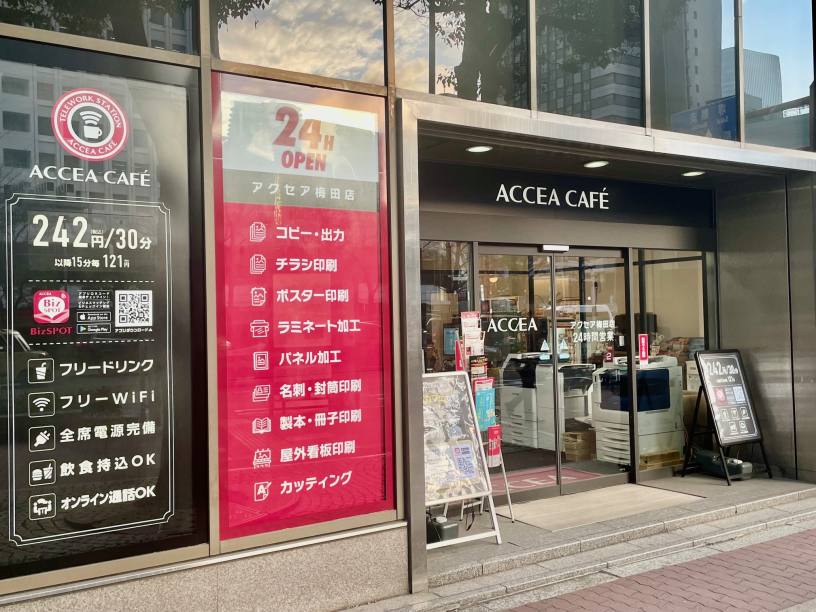
アクセアカフェ梅田店
- Store Information
- Facilities
- How to Use
梅田のコワーキングスペース、ノマドカフェ、ウェビナー、オンライン会議、テレワークに
梅田駅から地下でほぼ雨に濡れることなく店舗までご来店いただけます。
場所はお初天神通りを淀屋橋・本町方面へ向かって商店街を抜けたら左手にすぐです。店舗前にはバス停もありますのでバスからもすぐです。
全席電源完備、フリーWi-Fi、フリードリンクのワークスペースは15分からどなたでもご利用いただけます。
個室ブースもございますので、WEB打ち合わせやお電話のご利用も周りを気にせず行っていただけます。
併設されたアクセア店舗で、カフェで作成したデータをそのまま隣ですぐ印刷、ということも可能です。
ワークスタイルに合わせてカフェスペースも印刷サービスも便利にご利用くださいませ。
※テレワークブースは予約制です※
ご使用の際はBizSPOTアプリよりご予約をお願いいたします。
Store Information
〒530-0057 大阪府大阪市北区曽根崎2-5-10 梅田パシフィックビルディング1F
TEL: 06-6313-0577
【一時休業のご案内】
22日(日)18:00~23日(月)7:00まで
補修工事のため一時休業いたします。
ご利用のお客様にはご不便をおかけしますが、何卒よろしくお願い申し上げます。
24時間営業(年中無休・夜間無人)
※22:00~翌6:00まではBizSPOTアプリにて本人確認がお済みのお客様のみご利用いただけます。
-
 Power Supply at Every Seat
 -
 Free Wi-Fi
 -
 Free Drinks
 -
 Outside Food & Drinks Allowed
 -
 Free Rental Items
 -
 Coupons Available
 -
 Private Booths Available
 -
 Phone Call OK
 -
 Online Call OK
 -
 Conversation OK
* Bringing or consuming alcohol of any kind is not allowed.
* All seats are open for conversation, cell phone use, and online calls, but please be considerate of other patrons in terms of voice volume, etc.
Fees
| Plans | Fees | Extension Fees |
|---|---|---|
| 30分 |
¥220 (in tax ¥242) |
¥110 (in tax ¥121) /15 minutes |
| 3時間パック |
¥1,100 (in tax ¥1,210) |
¥110 (in tax ¥121) /15 minutes |
| 9時間パック |
¥2,750 (in tax ¥3,025) |
¥110 (in tax ¥121) /15 minutes |
* The fees listed is per person. charges apply for individuals aged elementary school and above.
Facilities
Seats
テレワークブース・個室(1人席)5室
ハイバックソファ席 9席
テーブル席(個別)8席
カウンター席 2席
Drinks
カップ式自動販売機
給茶器
ウォーターサーバー
Foods
電子レンジ
BizSPOT snack Time(お菓子)
冷凍食品
Free Rental Items
USB充電コード
マウス
USBハブ
延長コード
充電器
ひざかけ
使い捨てスリッパ
ノートPCスタンド
ライトスタンド
シートクッション
Printing Servicies
Access
●大阪メトロ御堂筋線「梅田駅」、谷町線「東梅田駅」7番出口(地下街H-82)より徒歩2分
●JR「大阪駅」中央改札口より徒歩9分
●JR「北新地駅」地下街F-85出口より徒歩1分
Floor Guide
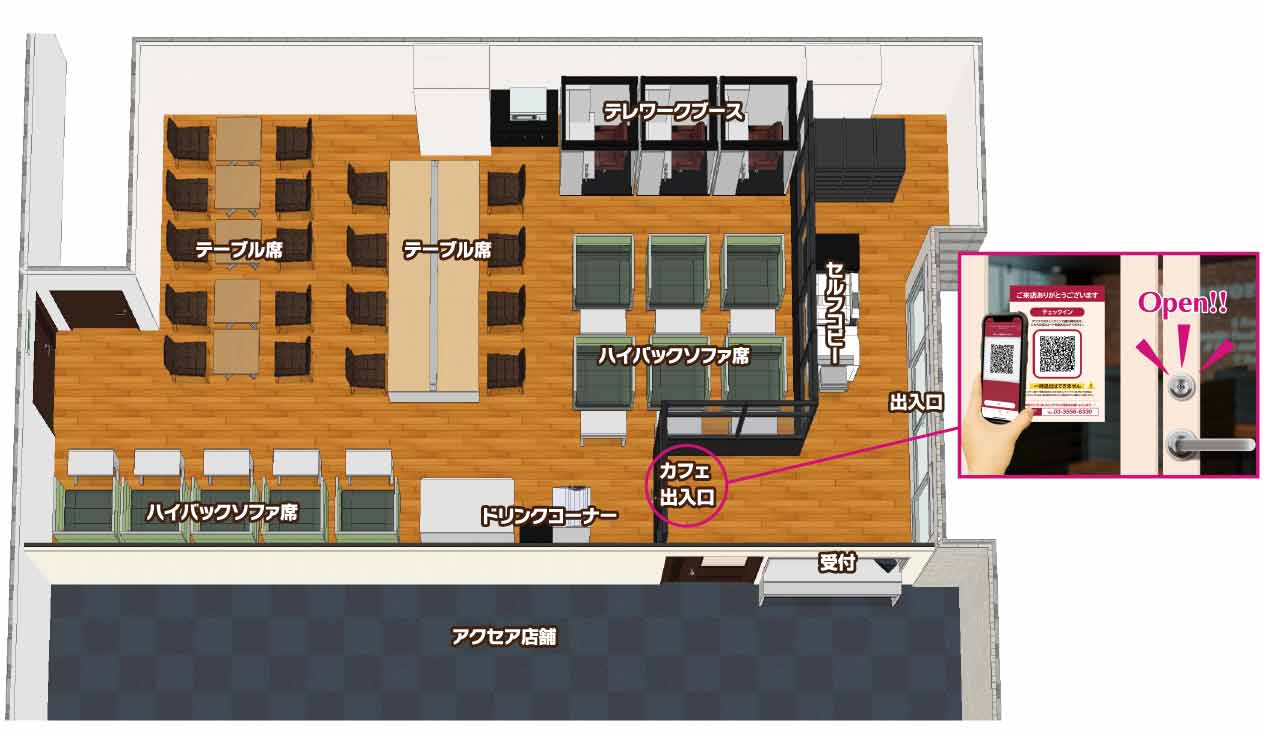
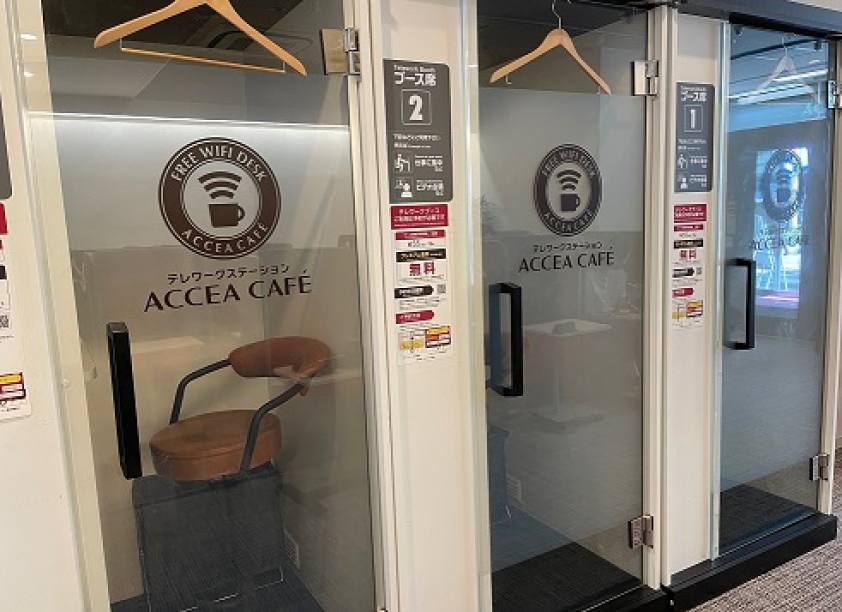 WEB会議に最適なテレワークブース※アプリより予約制
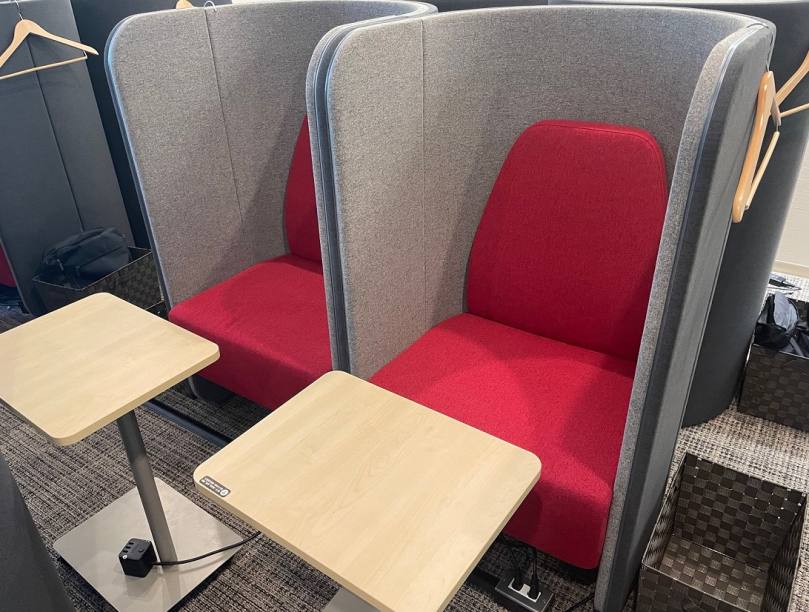 プライベート感のあるハイバックソファ席
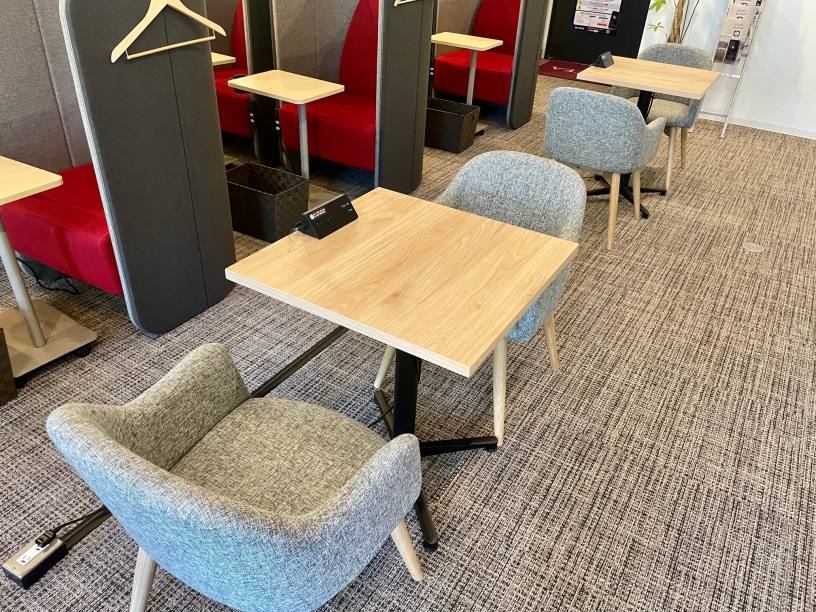 打ち合わせ・商談にはテーブル席
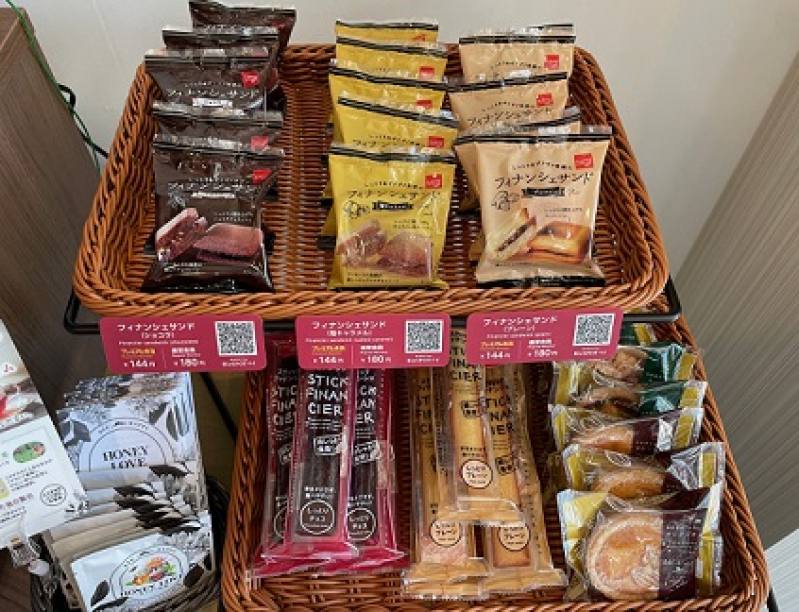 フィナンシェやタルトなどコーヒーとの相性抜群♪
※BizSPOTアプリ決済のみ
フィナンシェやタルトなどコーヒーとの相性抜群♪
※BizSPOTアプリ決済のみ
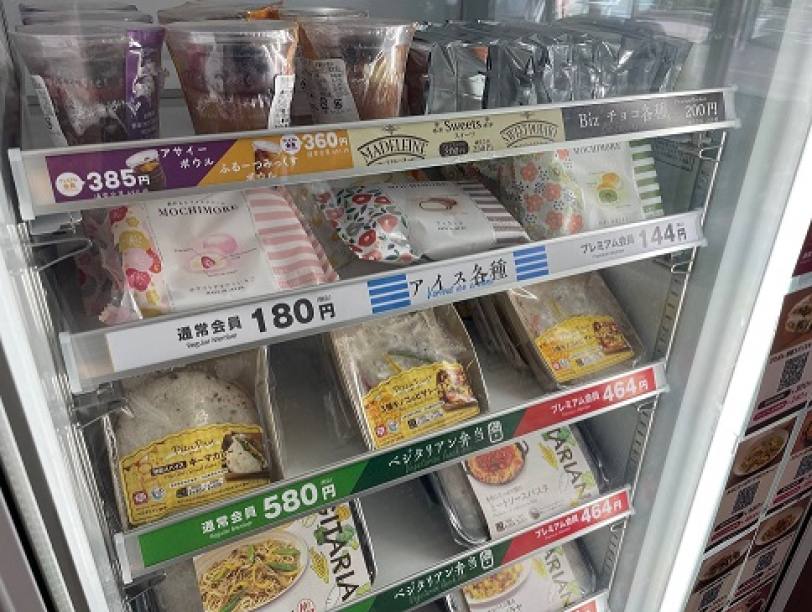 オリジナルのスイーツやお弁当も販売中!ぜひご賞味ください♪
※BizSPOTアプリ決済のみ
オリジナルのスイーツやお弁当も販売中!ぜひご賞味ください♪
※BizSPOTアプリ決済のみ
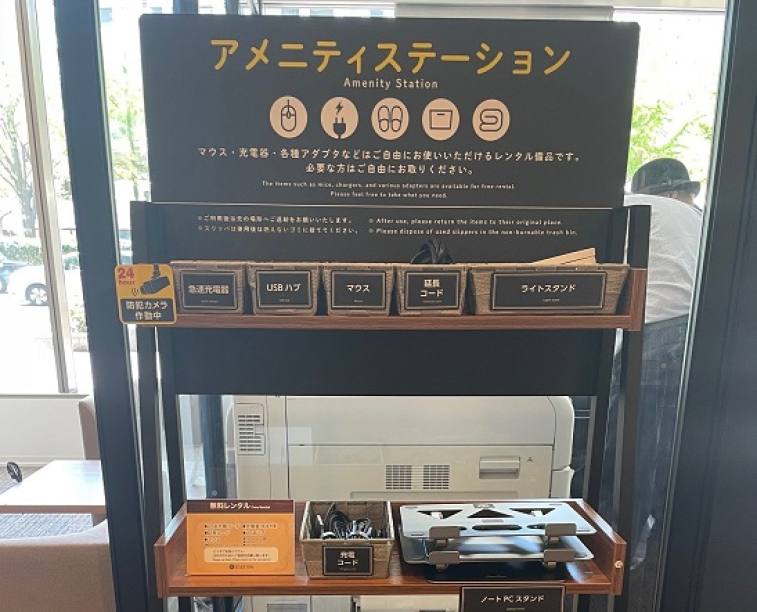 各種アメニティはお気軽にご利用ください
※お帰りの際にご返却をお願いいたします
各種アメニティはお気軽にご利用ください
※お帰りの際にご返却をお願いいたします
 梅田店限定デザイン!オリジナルマグカップも販売中です♪
お土産にいかがでしょうか?
梅田店限定デザイン!オリジナルマグカップも販売中です♪
お土産にいかがでしょうか?
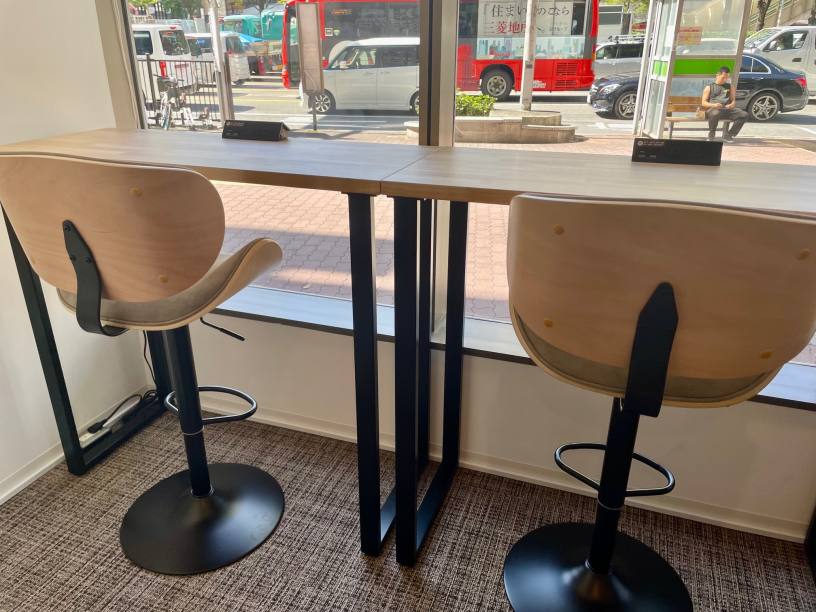 外に面した開放感のあるカウンター席
Check-in/Check-out with the BizSPOT App
(ACCEA CAFÉ, Smart Lock-enabled stores)
-
 STEP1 Download the app and register your credit card
Download the BizSPOT app and register your credit card information. Prepare the "Check-in" screen.
-
 STEP2 Scan the QR code with the app for Check-in & Door Unlocking
Select the "Check-in" function in the app. Tap the Check-in button.
-
 STEP3 Usage of spot
Choose your preferred seat. You can also change seats during your visit.
-
 STEP4 Scan the QR code to Check-out
Select the "Check-in" function in the app. Tap the Check-out button.
If you need to temporarily exit during your check-in.
Temporary Entry/Exit during Check-in
(ACCEA CAFÉ, Smart Lock-enabled stores)
-
 STEP1 Temporary Exit Tap the Temporary Entry/Exit button
If you need to temporarily exit during your check-in.
-
 STEP2 Scan the Temporary Entry/Exit QR code
Scan the Temporary Entry/Exit QR code.
Usage fees will still apply during your absence. -
 STEP3 Re-entry Tap the Temporary Entry/Exit button
If you wish to re-enter.
-
 STEP4 Scan the Temporary Entry/Exit QR code
Scan the Temporary Entry/Exit QR code.
QR Code is a registered trademark of Denso Wave Incorporated.